 Itefix Blog
Turning Ubuntu 12.10 minimal into a VirtualBox 4.2 host with a lightweight and secure GUI
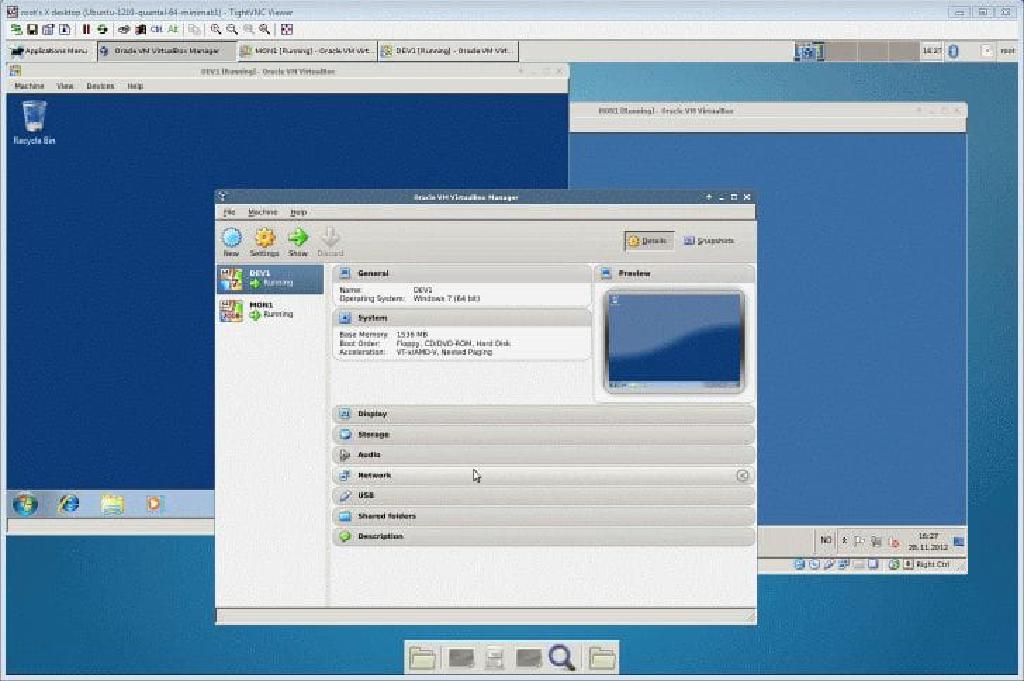
Prerequisites: Ubuntu 12.10 minimal installed and ssh connections are allowed.
- Install Oracle VirtualBox (NB! Be patient as many dependencies will also be installed):
echo "deb  [http://download.virtualbox.org/virtualbox/debian(link is external)](http://download.virtualbox.org/virtualbox/debian)  $(lsb_release -sc) contrib" | sudo tee /etc/apt/sources.list.d/virtualbox.list
wget -q  [http://download.virtualbox.org/virtualbox/debian/oracle_vbox.asc(link is external)](http://download.virtualbox.org/virtualbox/debian/oracle_vbox.asc)  -O- | sudo apt-key add -**
sudo apt-get update
sudo apt-get install virtualbox-4.2
- Install Xfce as a minimal Ubuntu desktop (NB! Be patient as many dependencies will also be installed):
sudo apt-get install xubuntu-desktop
- Install and configure Vnc for remote control:
sudo apt-get install vnc4server
- Configure Vnc to start Xfce as desktop (file ~/.vnc/xstartup):
#!/bin/sh
xrdb $HOME/.Xresources
xsetroot -solid grey
startxfce4
- Start vncserver manually (You will need to supply a connection password at the first time, adjust geometry according to your needs):
vncserver -geometry 1440x900
- Extend your Putty configuration with a local forwarded tunnel allowing connections to port 5901 representing X-display 1 (we use localport 6000 in the example)

- Initiate a Vnc Session ((TightVnc viewer as example)

- The result is a Ubuntu Virtual Box host managable via a secured lightweight GUI